Visibility Presets for Substance Painter v10+


Visibility Presets a Substance 3D Painter Plugin
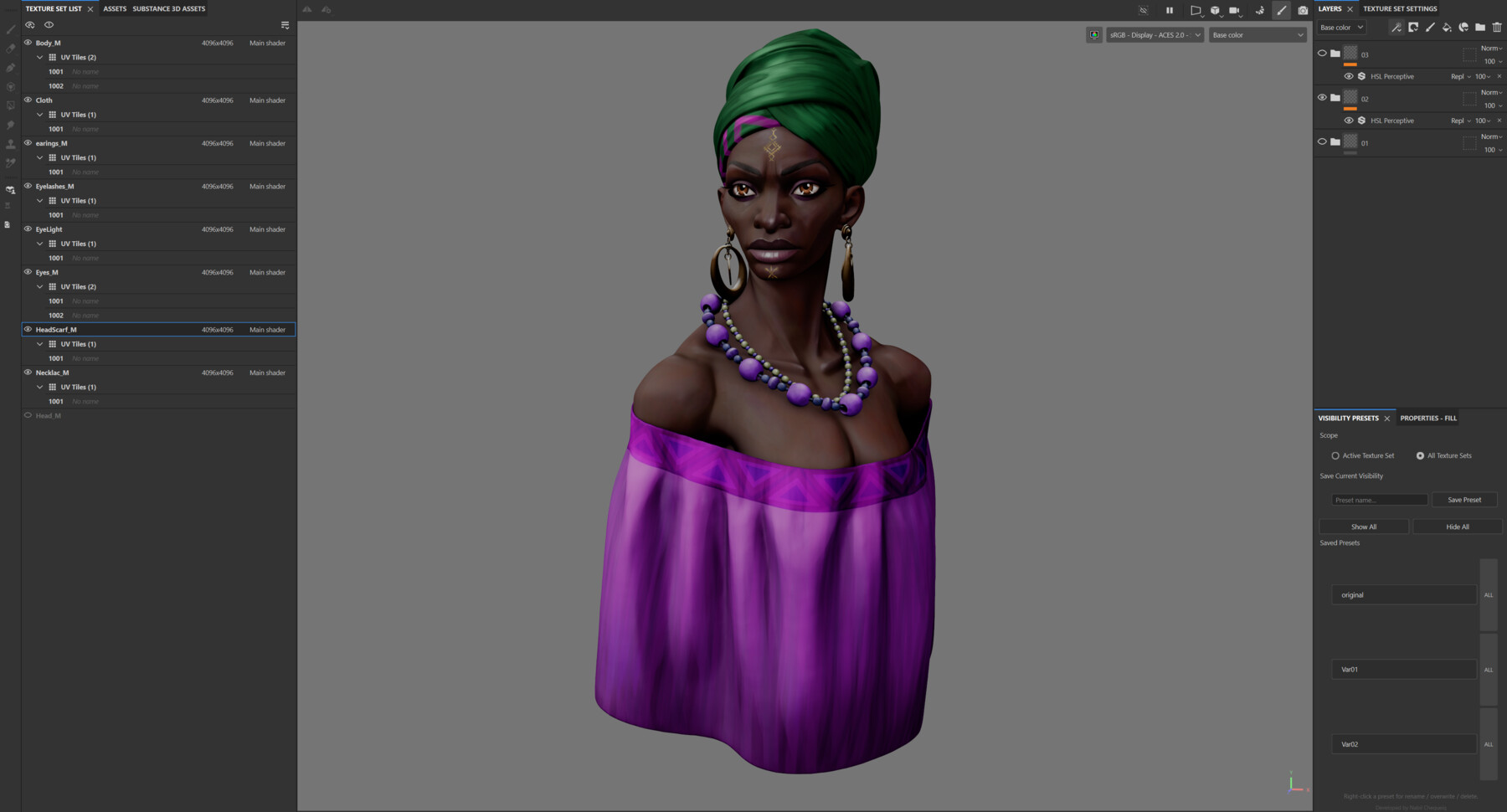
Tired of manually hiding and unhiding layers and folders every time you need to switch between different views of your texture work? Visibility Presets lets you save your entire layer visibility state as a named preset and restore it with a single click.
What it does: Save any arrangement of visible/hidden layers and folders as a preset, then instantly toggle between them. Perfect for managing color variations, material breakdowns, before/after comparisons, or isolating specific layer groups across complex projects.
Key features:
- Save unlimited named visibility presets per project
- One-click restore of any saved preset
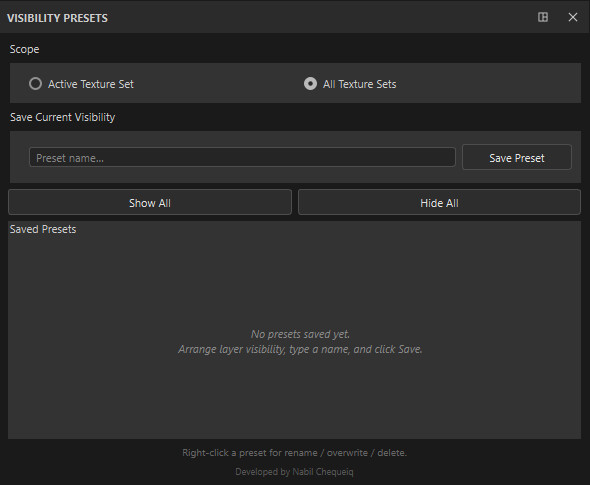
- Scope control: apply to the active texture set or all texture sets at once
- Quick Show All / Hide All utility buttons
- Right-click presets to rename, overwrite, or delete
- Presets persist inside your .spp project file no external files to manage
- Lightweight dock panel that fits naturally into the Painter interface
How to :
- Download the visibility_presets.py
- Place it in your Painter Python plugins directory:
- Windows: Documents\Adobe\Adobe Substance 3D Painter\python\plugins\
- macOS/Linux: ~/Documents/Adobe/Adobe Substance 3D Painter/python/plugins/
- Restart Painter or reload plugins
Visibility Presets a Substance 3D Painter Plugin
Tired of manually hiding and unhiding layers and folders every time you need to switch between different views of your texture work? Visibility Presets lets you save your entire layer visibility state as a named preset and restore it with a single click.
What it does: Save any arrangement of visible/hidden layers and folders as a preset, then instantly toggle between them. Perfect for managing color variations, material breakdowns, before/after comparisons, or isolating specific layer groups across complex projects.
Key features:
- Save unlimited named visibility presets per project
- One-click restore of any saved preset
- Scope control: apply to the active texture set or all texture sets at once
- Quick Show All / Hide All utility buttons
- Right-click presets to rename, overwrite, or delete
- Presets persist inside your .spp project file no external files to manage
- Lightweight dock panel that fits naturally into the Painter interface
How to :
- Download the visibility_presets.py
- Place it in your Painter Python plugins directory:
- Windows: Documents\Adobe\Adobe Substance 3D Painter\python\plugins\
- macOS/Linux: ~/Documents/Adobe/Adobe Substance 3D Painter/python/plugins/
- Restart Painter or reload plugins
For personal use and one commercial project (up to 2,000 sales or 20,000 views).
TutorialsOne copy to be used by a single user.
Installable ToolsOne installation by a single user.
Learn MoreFor use on an unlimited number of commercial projects with no limits on sales or views.
Learn More